
How to Make ChatGPT Sound More Human: 9 Easy Fixes
Make ChatGPT sound more human with nine practical fixes, reusable prompts, and examples that improve voice without changing your meaning.
Updated
- ChatGPT prompts
- Human editing
- Natural writing
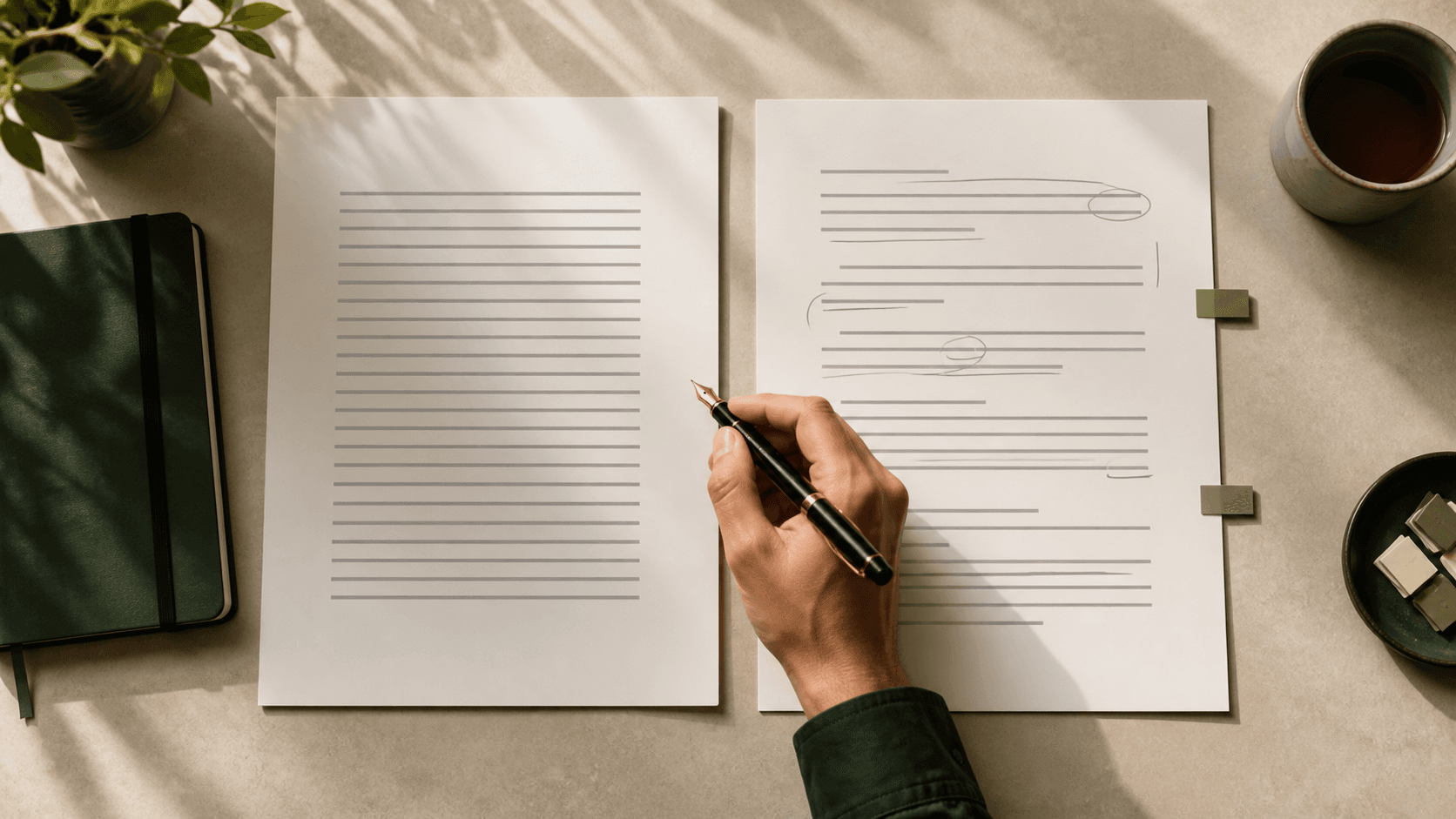
ChatGPT can produce a clean draft in seconds. The problem is that “clean” can quickly become stiff, generic, or strangely enthusiastic. Every paragraph follows the same rhythm. Simple points arrive wrapped in formal language. The result may be correct, but it does not sound like you.
You do not need to add mistakes, random slang, or awkward sentences to fix that. A better approach is to give ChatGPT real context, show it how you communicate, and edit the result with a clear purpose.
Already have a draft? Run one bounded section through the AI Humanizer, then compare it with the original before you accept any change to a fact, qualifier, citation, or instruction.
This guide explains how to make ChatGPT sound more human without changing your meaning. You will get nine practical fixes, copy-paste prompts, a before-and-after example, and a final checklist for emails, blog posts, social captions, applications, and everyday messages.
Quick answer: use this ChatGPT humanizer prompt
If you need a fast rewrite, paste your draft after this prompt:
Rewrite this so it sounds natural, clear, and genuinely conversational. Keep my original meaning and every factual detail. Use familiar words, varied sentence lengths, and direct transitions. Remove repetition, filler, exaggerated claims, and corporate language. Do not add personal stories, facts, or opinions that I did not provide. Write for [audience] in a [tone] tone. Here is the text: [paste text]
This works because it gives ChatGPT four useful constraints: the reader, the tone, the meaning that must stay, and the patterns to remove. “Make it human” is too vague. One person may want a warm email; another may need a concise client update.
For a more reliable result, complete this short brief before your draft:
| Prompt element | What to provide | Example |
|---|---|---|
| Audience | Who will read it and what they know | Existing customers who use the dashboard |
| Purpose | What the text should help them understand or do | Explain the update and prompt one next step |
| Voice | Behaviors the writing should show | Warm, direct, practical, no sales language |
| Guardrails | Details the rewrite must preserve or avoid | Keep dates and prices; do not invent results |
Why does ChatGPT sound robotic?
ChatGPT often receives short prompts such as “write a professional email” or “create a blog introduction.” With little context, it has to fill in the gaps. The result tends to be polished, balanced, and broadly acceptable, but it can also feel distant.
The common problems are easy to recognize:
- Every paragraph follows the same structure.
- Sentences are similar in length.
- The draft explains obvious ideas before reaching the point.
- Formal transitions appear where normal speech would simply move on.
- The tone becomes too cheerful, persuasive, or professional for the situation.
- Abstract claims replace concrete details.
- The ending repeats the introduction instead of giving the reader a useful next step.
Tone labels alone do not solve the problem. Asking for “friendly” writing can produce forced enthusiasm, while “professional” may produce corporate jargon. Current OpenAI prompting guidance recommends clear, specific instructions, enough context, and iterative refinement. The nine fixes below turn those principles into an editing workflow.
1. Tell ChatGPT who will read the text
Writing becomes generic when the reader is generic. Replace “write a post about our update” with a description of the person who needs the information.
Weak prompt
Write a professional announcement about our new booking feature.
Better prompt
Write a short announcement for existing customers who already use our appointment dashboard. They are busy clinic managers. Explain what changed, why it saves them a step, and what they need to do next. Keep it calm and practical.
The second prompt gives ChatGPT decisions it can use. “Clinic managers” affects the vocabulary. “Existing customers” removes the need for a long product introduction. “What they need to do next” gives the ending a purpose.
Before generating text, define three things:
- Who is reading?
- What do they already know?
- What should they understand, feel, or do after reading?
2. Describe the tone with real behaviors
Words such as “human,” “friendly,” and “professional” are open to interpretation. Describe what the tone should do on the page.
Instead of this:
Make this more conversational.
Try this:
Make this conversational but not casual. Use contractions where they sound natural. Prefer direct sentences and everyday vocabulary. Do not use slang, emojis, sales language, or rhetorical questions.
Adjust those behaviors to the task:
| Writing task | Useful tone instruction |
|---|---|
| Work email | Warm, direct, and respectful; no corporate filler |
| Blog post | Clear and informed; explain through examples rather than hype |
| Social caption | Relaxed and concise; one main idea and no forced inspiration |
| Job application | Confident and specific; avoid exaggeration and generic passion statements |
| Customer support | Calm and empathetic; acknowledge the problem before giving steps |
The goal is not to force one “human” style onto everything. A natural refund email should not sound like a natural Instagram caption.
3. Give ChatGPT a sample of your writing
If you want ChatGPT to write like you, show it what “you” sounds like. A short, representative sample is usually more useful than a long list of adjectives.
Choose 150 to 300 words that you wrote yourself and still like. Remove private information, then use this prompt:
Study the writing sample below. Identify its sentence length, level of formality, vocabulary, pacing, and way of making transitions. Then rewrite my draft using those characteristics. Do not copy phrases from the sample or invent experiences. Preserve every fact in the draft. Writing sample: [paste sample] Draft: [paste draft]
Review the rewrite carefully. ChatGPT can imitate surface patterns while missing the judgment behind them. Check whether the new version still fits the current reader and purpose rather than merely resembling the sample.
Do not paste confidential client material, private messages, unpublished research, or sensitive personal information into a writing tool unless you are authorized to do so and understand how the service processes data. ChatGPT’s Data Controls let users manage whether conversations help improve OpenAI’s models, but those controls do not replace your workplace, client, or legal obligations.
4. Replace general claims with specific details
Robotic writing often sounds vague because the draft has no real-world details to work with.
Generic version
Our innovative solution streamlines your workflow and helps you achieve better results.
Specific version
The new bulk action lets you confirm several appointments from the same screen, so you no longer need to open each record separately.
The second version does not need words such as “innovative” or “streamlines.” The detail carries the message.
Ask ChatGPT to flag missing evidence rather than inventing specifics:
Replace vague claims with concrete details from the information I supplied. If a sentence needs a number, example, result, or product fact that I did not provide, mark it [DETAIL NEEDED] instead of guessing.
This keeps the draft honest and shows you where human knowledge is still needed. It is especially useful for product pages, case studies, applications, and any text that could accidentally turn a possibility into a promise.
5. Vary sentence length without adding chaos
Natural writing has movement. A short sentence can emphasize a decision. A longer sentence can connect related ideas. When every sentence has the same shape, the passage feels mechanical.
Use this editing prompt:
Improve the rhythm by varying sentence length naturally. Keep some short sentences for emphasis, but do not turn the text into fragments. Combine ideas that belong together and split sentences that contain more than one main point.
Do not ask the model to create “burstiness” by adding random fragments or punctuation. Variation should make the paragraph easier to follow, not simply less predictable.
Read the result aloud. If you run out of breath, divide the sentence. If several short sentences sound like bullet points without bullets, connect the ones that express one thought. You can also run a readability check to find dense passages, then make the final decision in context.
6. Remove AI-sounding filler, but keep useful words
No single word proves that a passage was generated by AI. People use words such as “delve,” “crucial,” and “furthermore,” too. The problem is repetition and poor fit, not the existence of a forbidden vocabulary list.
Look for patterns such as:
- “In today’s fast-paced world”
- “It is important to note”
- “This is a testament to”
- “Whether you’re a beginner or an expert”
- “Unlock the power of”
- “Seamlessly integrate”
- “In conclusion” followed by a full summary
- Repeated use of “moreover,” “furthermore,” and “additionally”
Then use a focused prompt:
Remove filler that delays the point. Replace formal transitions with natural connections where needed. Keep technical terms and useful words when they are accurate; do not swap them for unusual synonyms just to create variety.
A banned-word list can create a different problem: ChatGPT may avoid the clearest word and choose something awkward. Edit in context. Ask whether the phrase serves the reader, not whether it appears on somebody’s list of “AI words.”
7. Ask for a rewrite, not a decoration pass
When the structure is weak, changing a few words will not make the text sound human. The paragraph may still repeat itself, hide the main point, or build toward a conclusion the reader already knows.
Ask ChatGPT to diagnose the draft before rewriting it:
First, identify the three parts of this draft that sound generic, repetitive, or overly formal. Explain each problem in one sentence. Then rewrite the draft, keeping its meaning and factual details. Do not make the text longer unless clarity requires it.
This two-stage method makes the changes easier to review. You can reject a weak diagnosis before the model rebuilds the passage around it.
For a longer article, work section by section. One giant “humanize this” request may flatten useful headings, remove keywords, or change details that should remain consistent. Our guide to humanizing AI content without losing facts explains a claim-first review process for longer drafts.
8. Protect facts, names, and keywords
A smoother sentence is not an improvement if it changes the claim.
Before humanizing AI text, list the details that must stay exactly the same:
- Names and brand spelling
- Dates and prices
- Product features and limits
- Quotations
- Legal or policy language
- Technical terms
- Target keywords that fit naturally
- Links and calls to action
Then add a protection rule:
Do not change the following protected details: [list]. Preserve the meaning of every claim. Do not add guarantees, statistics, customer results, or source citations.
Compare the original and rewritten versions side by side. Check numbers and names first. Then review qualifiers such as “may,” “usually,” and “up to.” Removing one small qualifier can turn a careful statement into a false promise.
If you want a faster first pass, use the GPTHuman AI Humanizer, then perform the same fact check before publishing.
9. Add the part only you know
The fastest way to make AI writing less generic is to add information the model could not have guessed.
That might be:
- What you actually decided and why
- A customer question you hear repeatedly
- A mistake you made during the process
- A small detail from the project
- A clear opinion or tradeoff
- The next step you genuinely recommend
Consider this sentence:
Consistent communication is essential for successful remote teams.
It is reasonable, but forgettable. A real observation is more useful:
Our remote stand-up became shorter when every update had to include one blocker or end with “no blocker.”
The second sentence has a person behind it. It describes a practice the reader can picture and test.
AI can help organize your experience, but it should not invent one. If you do not have a real example, use a clearly labeled hypothetical scenario or keep the claim general.
Before and after: make AI writing sound natural
Here is a typical AI-style draft:
In today’s rapidly evolving digital landscape, effective communication is more important than ever. By leveraging the power of AI, professionals can streamline their email-writing process and ensure that their messages are clear, concise, and impactful. It is important to remember, however, that maintaining a human touch is crucial for building meaningful connections.
Here is a more natural version:
AI can help you draft an email, but the first version often sounds more formal than the situation requires. Cut the broad introduction. State what happened, what you need from the reader, and when you need it. Then read the message once for tone before you send it.
What changed?
- The rewrite starts with the actual task.
- Abstract phrases became concrete actions.
- The three-part list has a practical purpose.
- The warning about tone remains, but it no longer sounds like a slogan.
- The claim is narrower and more useful.
That final point matters. Humanizing a draft is not just a style exercise. It is a chance to decide what the sentence should honestly claim.
Four copy-paste prompts for everyday writing
Make an email sound natural
Rewrite this email so it sounds like a thoughtful person wrote it quickly and carefully. Keep it professional, warm, and direct. Put the request in the first two sentences, remove corporate filler, and end with a clear next step. Preserve all names, dates, and commitments.
Make a blog paragraph less robotic
Rewrite this paragraph for a general reader. Lead with the useful point, vary sentence length, and replace abstract claims with the examples already in the text. Remove repeated conclusions and formal transitions. Keep the target phrase “[keyword]” once if it fits naturally.
Make a social caption sound less AI-generated
Turn this into a concise social caption with one clear idea. Use a natural first line, no motivational clichés, no fake personal story, and no more than one call to action. Do not add hashtags unless I provide them.
Make ChatGPT write like you
Mirror the style of my writing sample without copying its phrases. Keep my usual level of formality, sentence rhythm, and directness. Preserve the facts in the draft and flag anything that needs personal knowledge instead of inventing it.
A 60-second human editing checklist
Before you use the final text, ask:
- Does the opening reach the point quickly?
- Would I use these words in this situation?
- Does every paragraph add a new idea?
- Are the sentence lengths varied but easy to read?
- Did the rewrite preserve names, numbers, qualifiers, and meaning?
- Are any claims more confident than the evidence?
- Did the tool invent a story, opinion, result, or source?
- Is the next step clear?
- Does the text follow the relevant workplace, school, or publishing policy?
You do not need perfect prose. You need writing that suits the reader, says something specific, and remains true.
Make the draft sound like you
A human voice does not come from adding errors or swapping every common word. It comes from choices: what to include, what to leave out, how direct to be, and which details matter to this reader.
Use ChatGPT for the first pass if it saves time. Then add your judgment. For a quick rewrite, try the free GPTHuman AI Humanizer, compare the result with the original, and review every fact before you use it.
Sources & Further Reading
Frequently Asked Questions
How do I make ChatGPT sound more human?
Give ChatGPT a specific reader, purpose, and set of tone behaviors. Provide a sample of your writing when possible, protect important facts, and edit the result for repetition, vague claims, and unnatural rhythm.
What is the best prompt to humanize ChatGPT text?
The best prompt defines what must stay, what should change, who will read the result, and what the desired tone looks like in practice. It should also tell the model not to invent facts or personal experiences.
How can I make ChatGPT less formal?
Ask for familiar vocabulary, contractions where they sound natural, direct transitions, and shorter explanations. Name what to avoid, such as corporate jargon, exaggerated enthusiasm, or academic phrasing.
Will humanizing text guarantee a lower AI-detector score?
No. AI detectors can produce false positives and false negatives, and no rewrite can guarantee a particular result. Improve the writing for clarity and voice, preserve evidence of your process, and follow the rules that apply to your work.
Can an AI humanizer change the meaning?
Yes. Any rewrite can alter a qualifier, number, technical term, or factual claim. Protect important details in the prompt and compare the result with the original before using it.
Put the Workflow Into Practice
Use GPTHuman as an editing aid, then verify facts, sources, meaning, and policy requirements before publishing.
AI Humanizer